


QBE is a multinational insurance company that offers a range of personal, family, and business coverage as well as financial solutions . The company owns its growth to acquisitions such as General Casualty Insurance and Balboa Insurance. QBE operates in America, Europe, Asia, and Australia.
- Website: http://www.qbena.com/
- Mobile App: Not Available
- Telephone Number:
- Founded: 1886 (140 years ago)
-
Company's Rating:


 (7 votes, average: 3.43 out of 5)
 Loading...
QBE Insurance online service lets policyholders manage their policy and take charge over claims from a central place. No matter where you are, you can access your account securely. Read on to understand how you can sign up, reset your password, and login for the first time.
How to Login
Many policyholders would love to use the online service but don’t know how to access their accounts. If you are stuck on the website, here’s what you can do log into your QBE account,
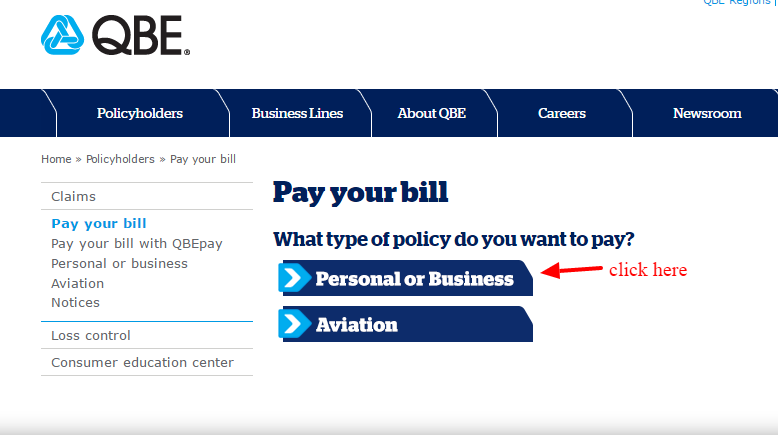
Step 1- Go to your browser and enter https://www.qbena.com/policyholders/pay-your-bill.aspx
Step 2- select the type of policy you’d like to pay from the two options
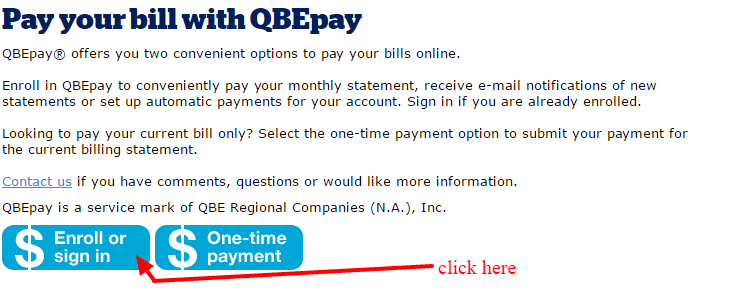
Step 3- select the option that says enroll or sign in as shown
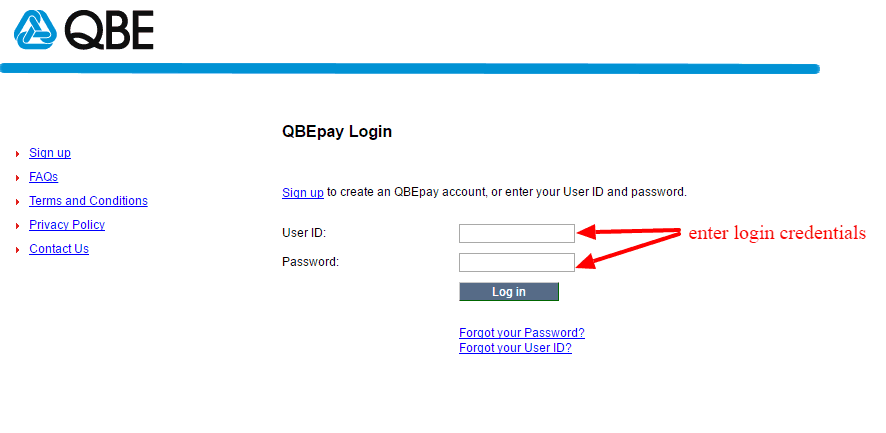
Step 4- enter your user ID and password then click login
Forgot Password?
Forgetting a password is one of the common issues that policyholders face when trying to access their accounts. Luckily, QBE offers policyholders the option to reset theirs online. If you are one them, just change yours this way:
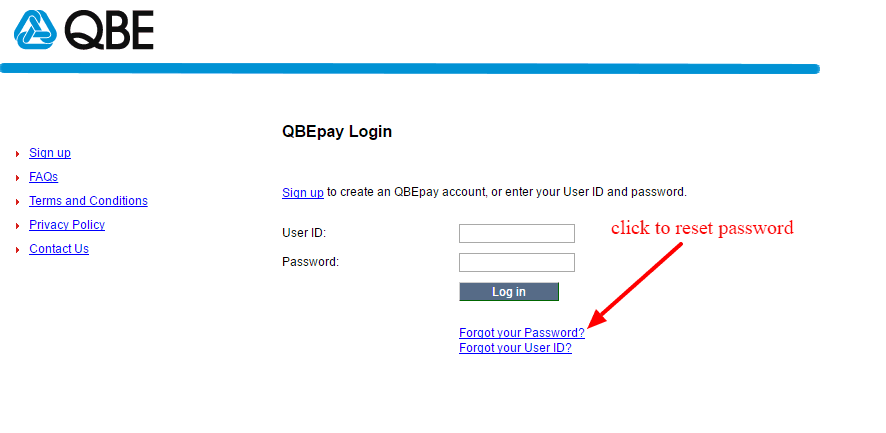
Step 1- Click on the link that says “Forgot your Password” as shown
Step 2- confirm your identity by entering your User ID and your account number or email.
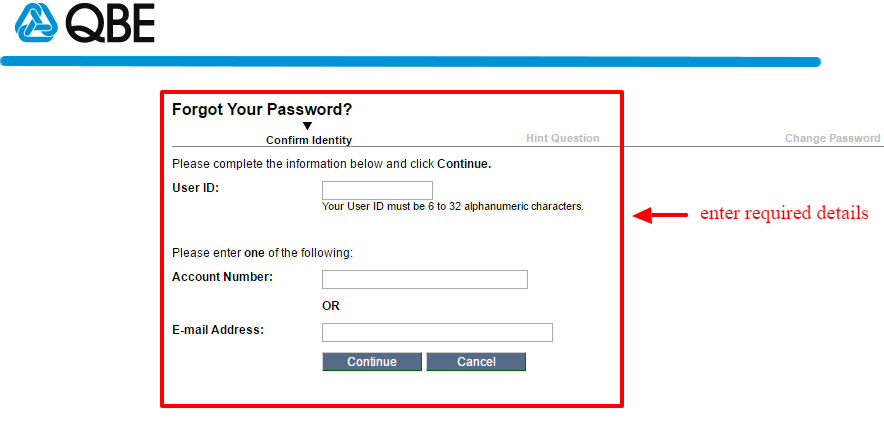
Step 3- provide answer to the security question
Step 4- change the password to the one you want.
How to Register
Are you intimidated by online registration? QBE’s enrollment is a straightforward thing. Assuming you have an policy, you can register quickly as shown below:
Step 1– Click on the blue sign up link just above the login area
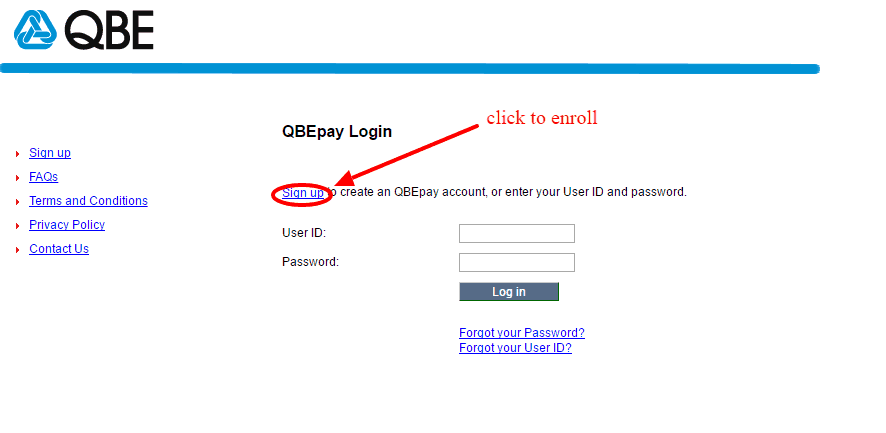
Step 2– enter your account number then click continue
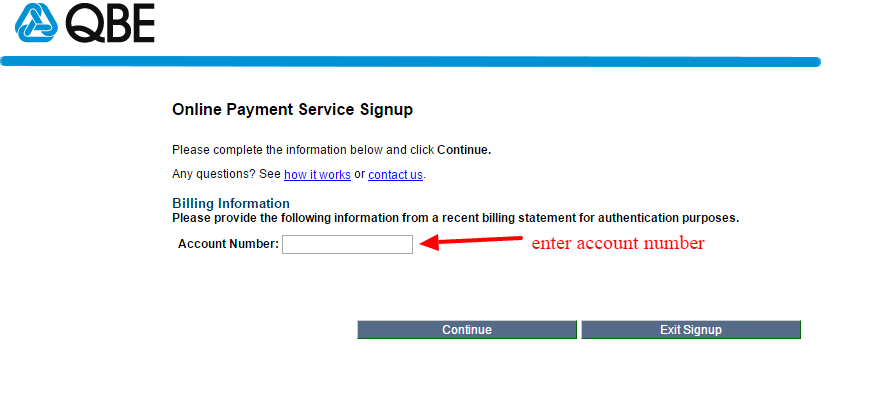
Step 3– Complete the remaining steps then activate your account to start using it.
Manage My QBR Online Acccount
QBE online service gives user greater control over their coverage and claims. The best part is that it’s free to each policyholder and it’s available round 365 days a year. Some of the key things you can do from your account include:
- Pay bills conveniently
- Report claims
- Check status of claims
- Retrieve billing history
- Add new policy
- Talk to support
- Update personal details


