


Since 1925, Erie insurance has been protecting the assets and financial interests of thousands of policyholders in the US. The company offers auto, homeowners, life, retirement plans as well as property and liability insurance.
- Website: https://www.erieinsurance.com
- Mobile App: Not Available
- Telephone Number: +1 800-458-0811
- Headquartered In: Pennsylvania
- Founded: 1925 (101 years ago)
-
Company's Rating:


 (6 votes, average: 2.50 out of 5)
 Loading...
Erie Insurance is a trusted provider of personal insurance as well as business insurance coverage. For over 90 years, the insurance company has provided customers with auto, home, life, and business coverage to protect their assets and financial interests. Let’s look at what you should do when using their free online service.
How to Login
Step 1 – Go to www.erieinsurance/myaccount in your PC or your smartphone.
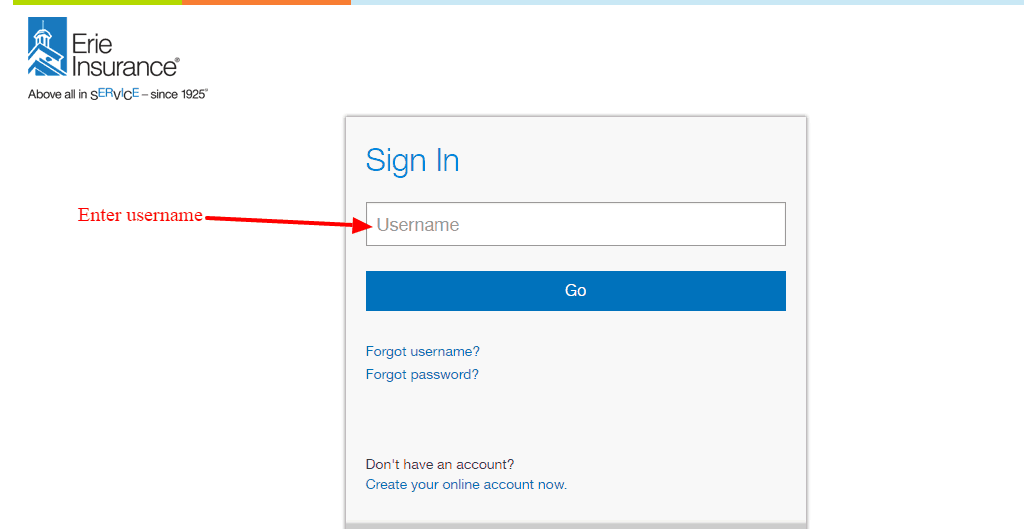
Step 2 – Enter your username and then click continue
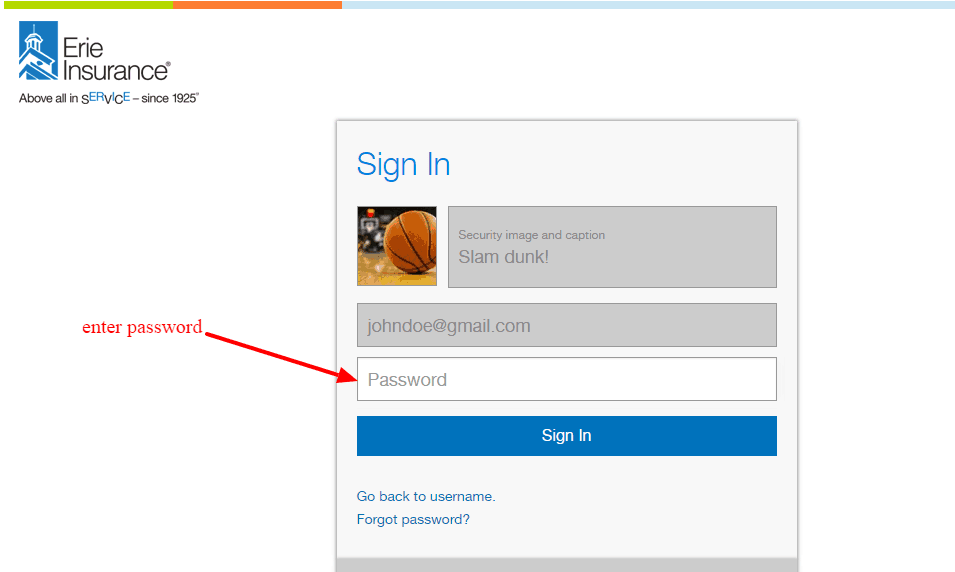
Step 3 – Confirm your security image the enter your password and submit
Forgot Password?
So you are stuck at the login area because you no longer remember your password. That happens quite a lot. What do you? Simply proceed as demonstrated below to restore access to your account.
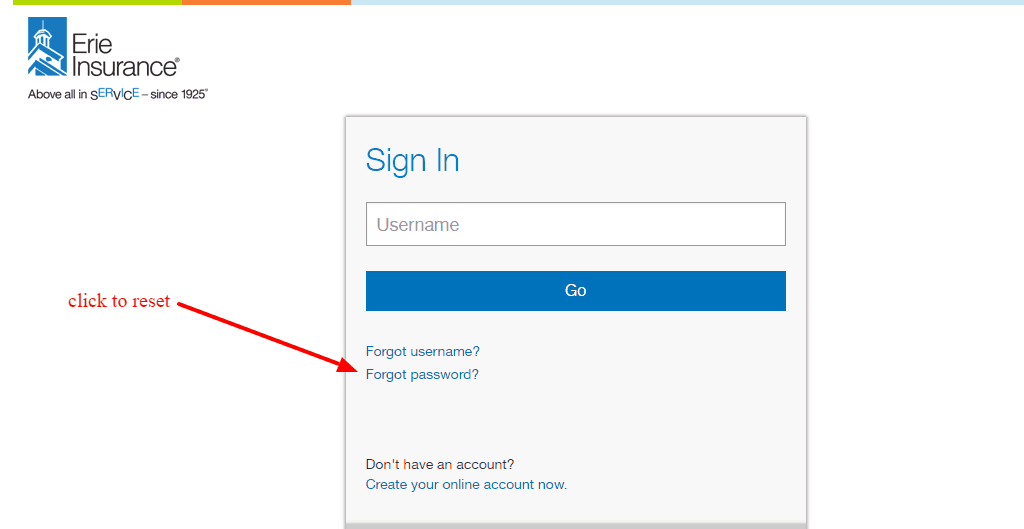
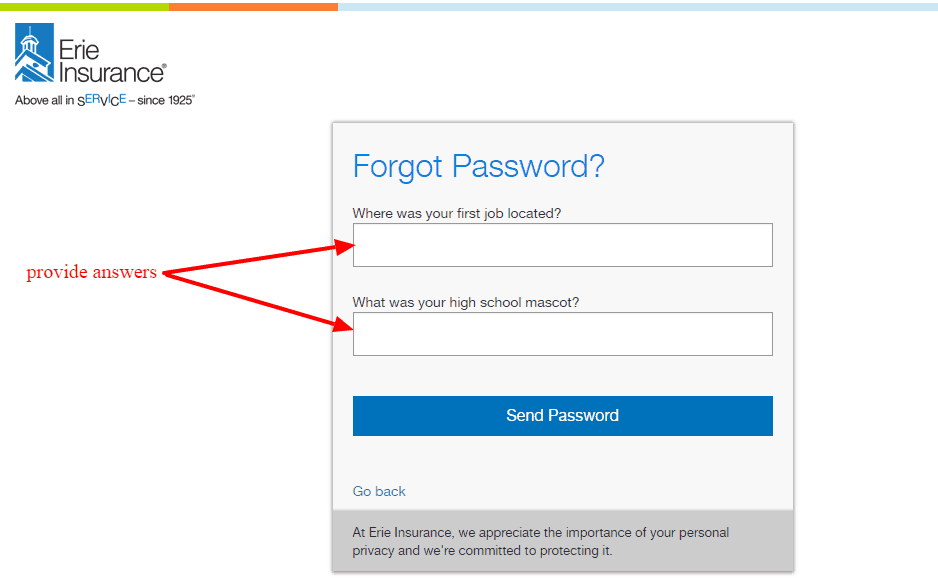
Step 1 – Click on the link that says ” forgot password?”
Step 2– Enter your username and click continue
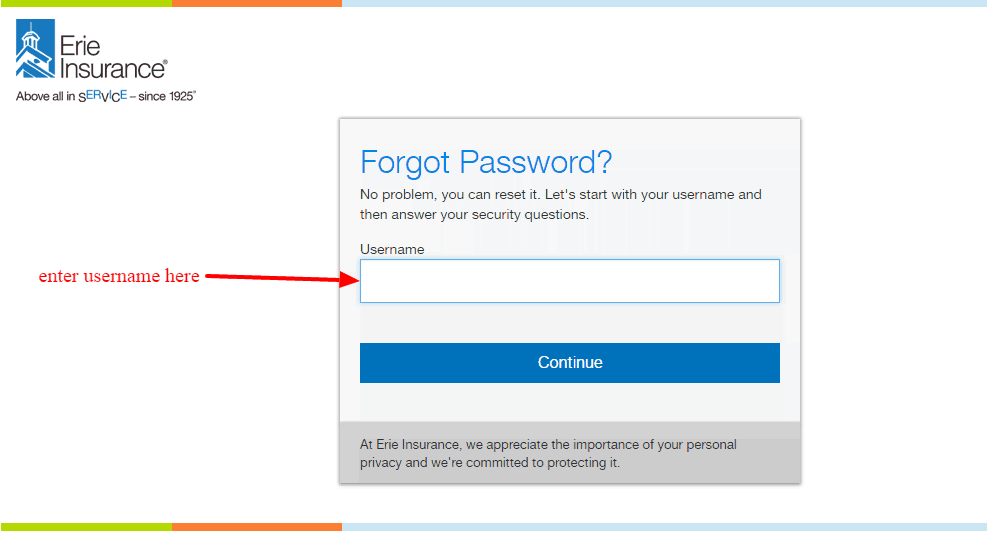
Step 3– Answer two security questions to receive your password
How to Register
Each person who wants to manage their policy remotely has to enroll online. The entire process is rather simple and takes just a few moments. As a first time user, you can create your account as demonstrated in the next section.
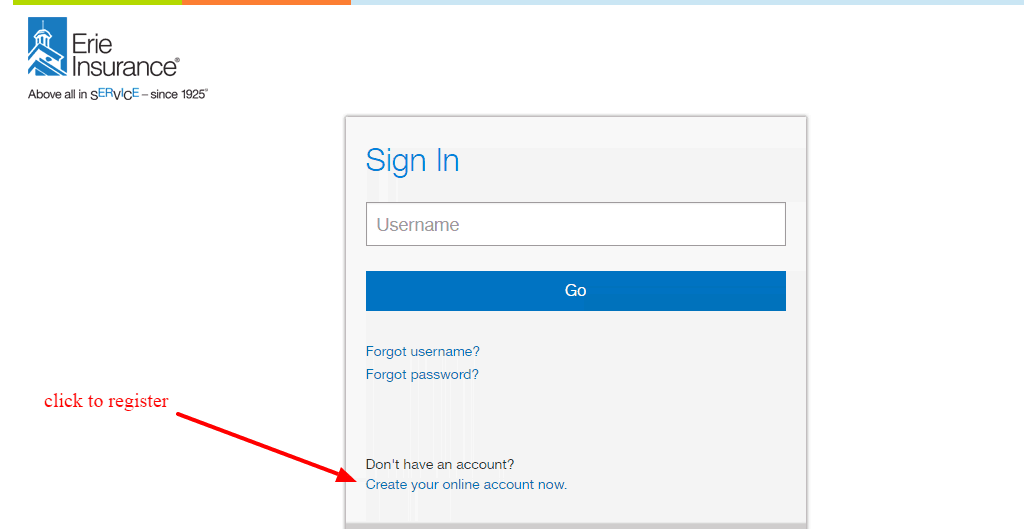
Step 1- Go to login page then click “Create your online account now” link
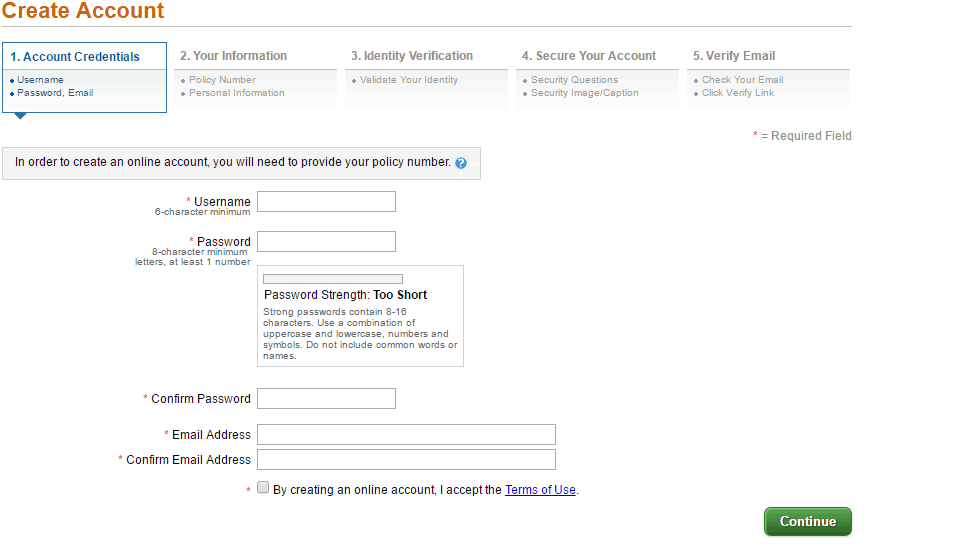
Step 2- Create your username and password and then enter your email and confirm it
Step 3- Enter our policy number and your information
Step 4- Validate your identity as the user of the account
Step 5- Create your security questions and select your security image
Step 6- Once you submit details, verify email to activate account.
Manage Erie Insurance Account
Nothing compares to the joy of having your policy and claims at your finger tips. The Erie online account takes away all the hassle associated with normal insurance. You have the opportunity to:
- Request auto quote
- Add new policy
- Find an agent
- File your claim
- Pay insurance bill
- Update policy details


