


For more than 100 years, Lincoln Financial Group has been at the forefront in advising and protecting the financial interests and assets of millions of Americans. LFG owes its success to diversity, inclusion, and innovation.
- Website: https://www.lfg.com/
- Mobile App: Android | iPhone
- Telephone Number: +1 800-487-1485
- Headquartered In: Pennsylvania
- Founded: 1905 (121 years ago)
-
Company's Rating:


 (7 votes, average: 3.57 out of 5)
 Loading...
Lincoln Financial Group has invested in a free online service that lets members handle policies or claims wherever they are 24/7. The service compliments their local services as well as what their agents do. You might want to learn a thing or two about this service if you plan to use it.
How to Login
Simple as it is, not everyone knows what steps to following when logging into online services. The section below will take you the basics of accessing your account for the first time.
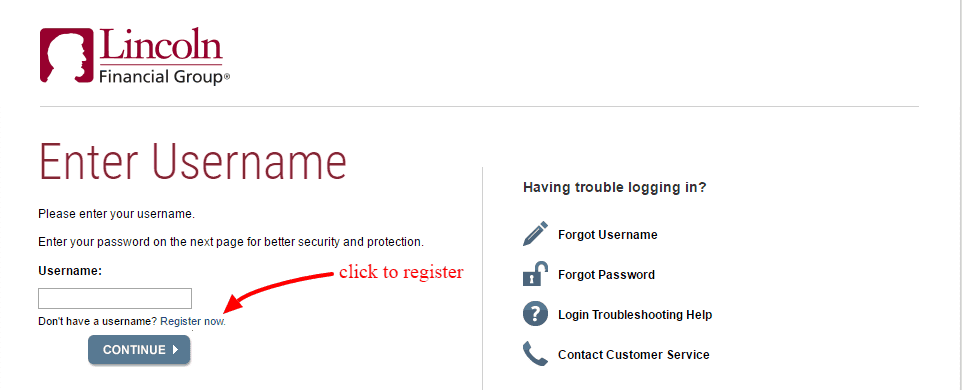
Step 1– Open your browser and go to https://hub2.lfg.com/oaam_server/oamLoginPage.js
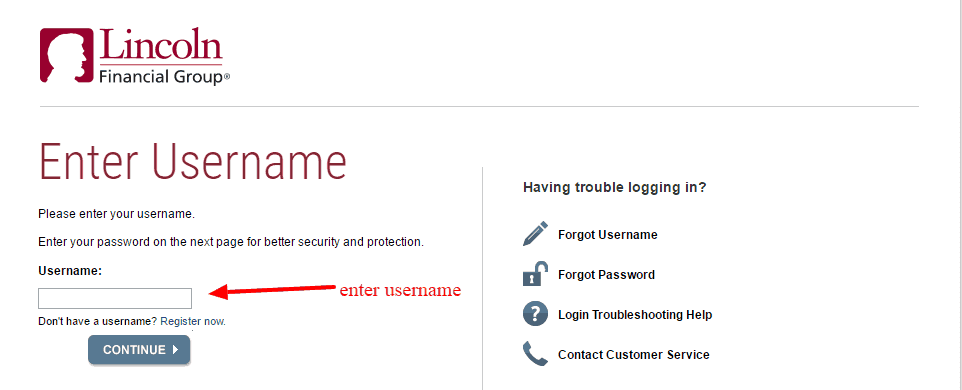
Step 2– Enter your username in the field box then click continue.
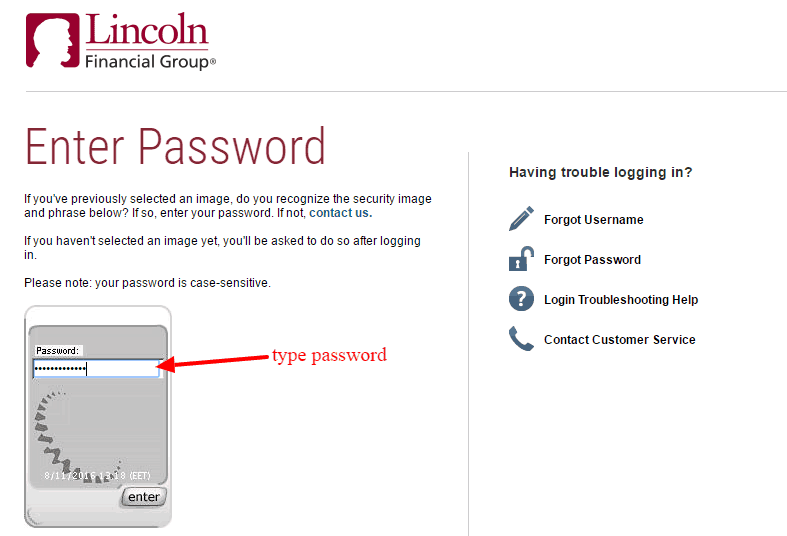
Step 3– Finally type your password and submit to access your account.
Forgot Password?
Sometimes, users forgot what characters or password combination they normally use to access their accounts. Don’t fret if you find yourself in this situation. You can restore access to your account by simply doing this:
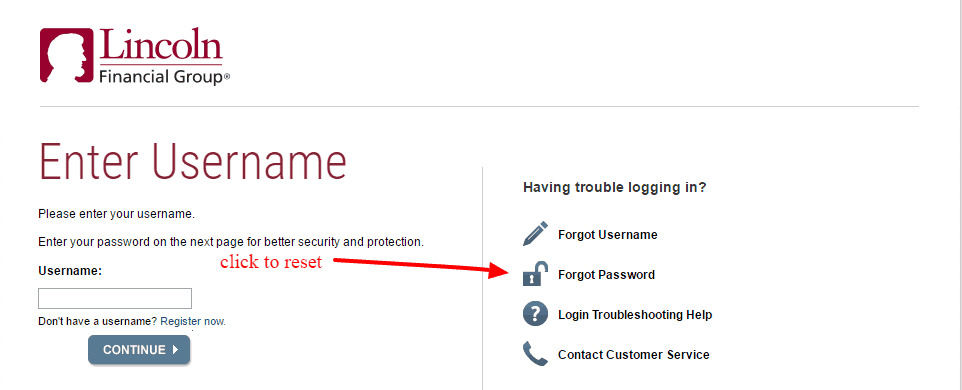
Step 1– Go to the login area then click on the forgot password link with a padlock icon.
Step 2– Enter your username as shown then click continue
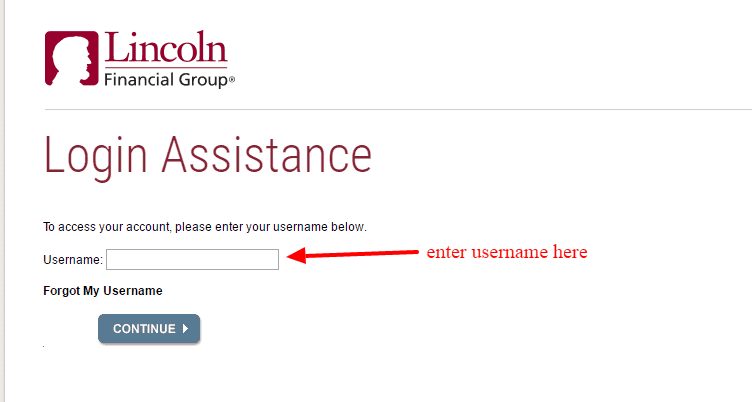
You will receive an email with a link as well as instructions to create a new password.
How to Register
Always scared of signing up for online services? Registering for the LFG online account is a breeze. Just do this and your account will be setup in no time.
Step 1– Access the login area then click on the register now link.
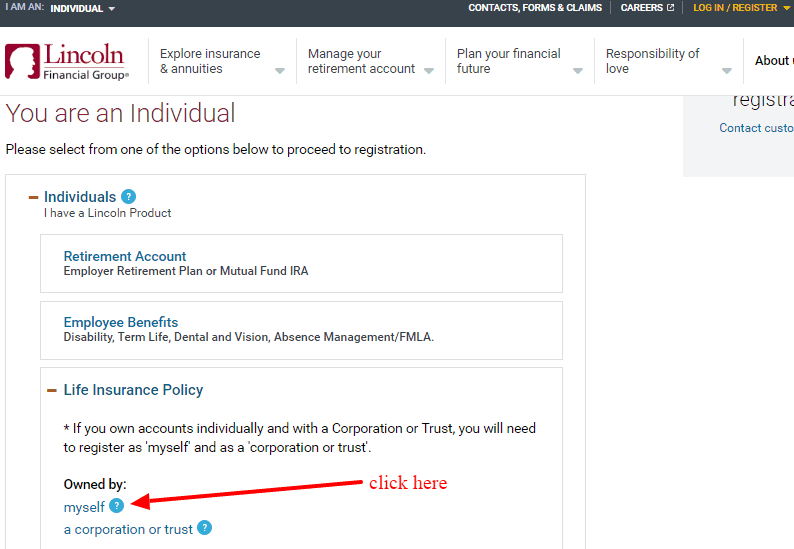
Step 2– Click on individuals tab and then click on “myself” link under life insurance
Step 3– Enter the last 4 digits of your SSN followed by date of birth, policy number, and then word verification letters then click next
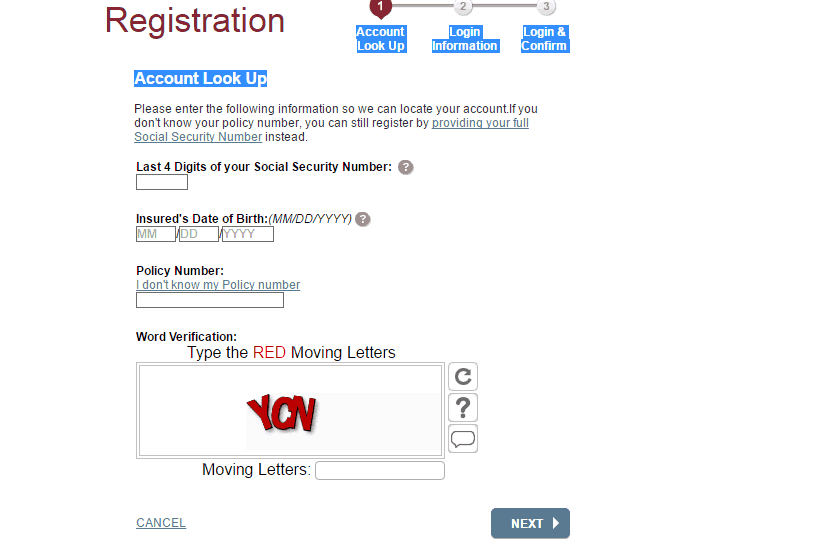
Step 4– Finally create your login details and confirm them
Manage Lincoln Financial Group Account
What more would a policyholder want than the opportunity to access and manage policies from a central place? That’s what the free portal is designed to do. Once you enroll, you can sign in from anywhere and do these things:
- Add or delete policy
- Submit a claim
- Make single or recurring payments
- Update user details
- View billing history
- Change policy details