


Since 1911, the First Insurance Company of Hawaii (Ficoh) has diligently insured the assets of residents and business across Hawaii. The insurer has a reputation for offering fast, reliable, and customer-friendly services.
- Website: https://www.ficoh.com
- Mobile App: Not Available
- Telephone Number: +1 808-527-7777
- Headquartered In: Hawaii
- Founded: 1911 (115 years ago)
-
Company's Rating:

 (6 votes, average: 3.00 out of 5)
 Loading...
First Insurance Company of Hawaii is a respectable provider of life and homeowners insurance in the island state. Besides serving policyholders through its branch office, the company also reaches out through its online service. This post will demonstrate all steps you need to follow as a first time user.
How to Login
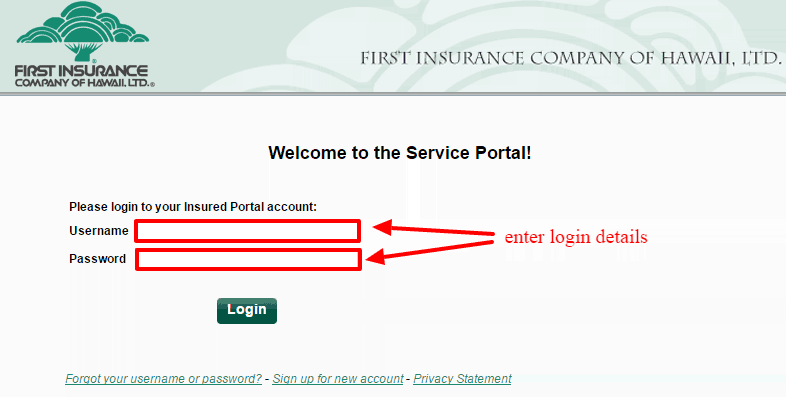
You’ll need to sign into your Ficoh online account every time you want to file a claim or pay premiums? Logging into your account is as easy as going to your desktop or laptop and doing the following:
Step 1- Open any of your web browser and go to https://service.ficohspi.com/webpath?rq=LoginPage
Step 2- Enter your username followed by password then click on the login button
Forgot Password?
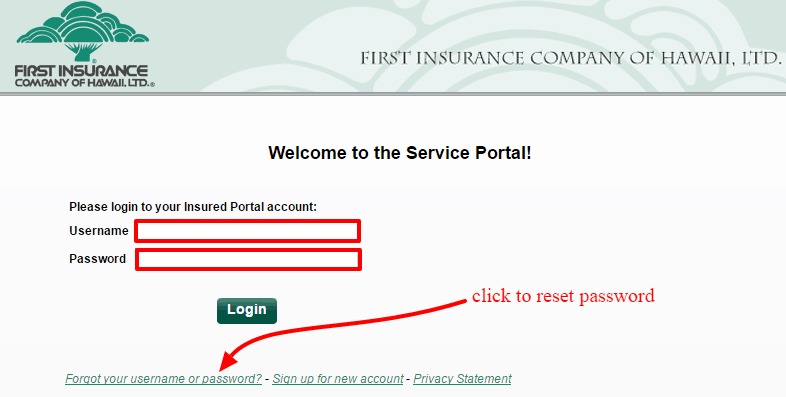
Not everyone remembers their login credentials when they’re about to sign into their accounts. Don’t worry if you are among this group as there’s a easy password recovery option. Simply do as shown to get back to your account:
Step 1- Go to down the login page then click on “Forgot your username or password?” link
Step 2- Enter your email address then click on continue button
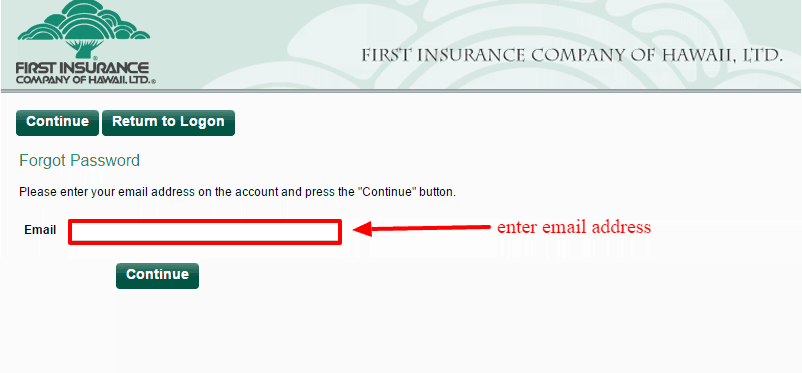
In an instant, you will get an email that contains a link to reset your password. Just click on the link and create your new password.
How to Register
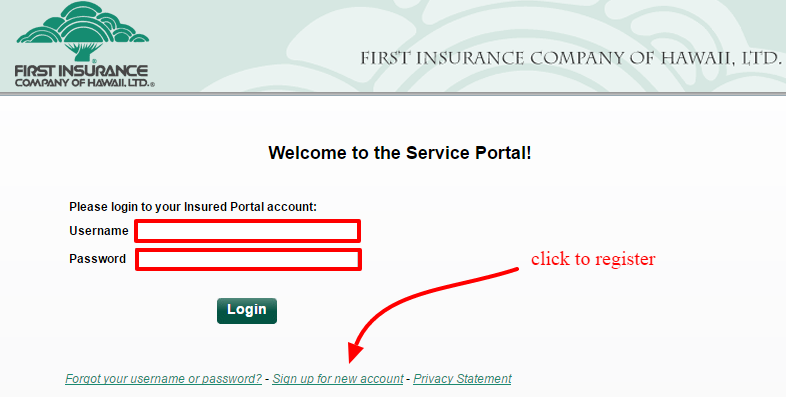
Signing up for an online account for the first time shouldn’t intimidate you if you have used a similar service. Simply go to your office PC or laptop and do the following:
Step 1- Go to the login home then click on the link that says “sign up for new account”
Step 2- Validate your policy information by entering the correct values in respective fields
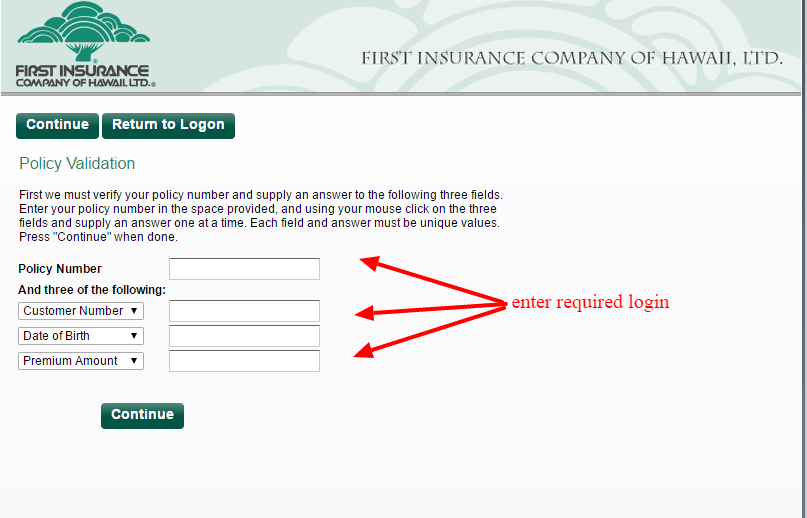
Step 2- Create your user profile and complete any of the remaining steps.
Manage Ficoh Insurance Account
One of the joys of using the free virtual service is that you won’t have to call customer service for help.You can do your stuff remotely and in real time. Once you have signed into your account, you can:
- Get a personal/business insurance quote
- File a claim and check its status
- Find local insurance agent
- Pay insurance premiums
- Update policy details